Café billing software

Run your café, not the billing.

PyCafe puts your counter, kitchen, stock and sales in one simple app, so your team bills faster and you always know how the day is going.

PySellersBuilt by PySellers Services, an ISO certified company
PyCafe point of sale with a photo menu and an order in the cart
Sound familiar?

Busy counters run on guesswork.

Queues at the counterBill in secondsTap pictures on the menu instead of writing orders out.
Bills added up by handTotals done for youPromo codes and GST are calculated on every bill.
Running out mid-rushStock that updates itselfEach sale takes ingredients off stock by recipe.
No idea what sold todayNumbers at a glanceToday's sales, best sellers and payment mix on one screen.
Point of sale

Take orders in seconds

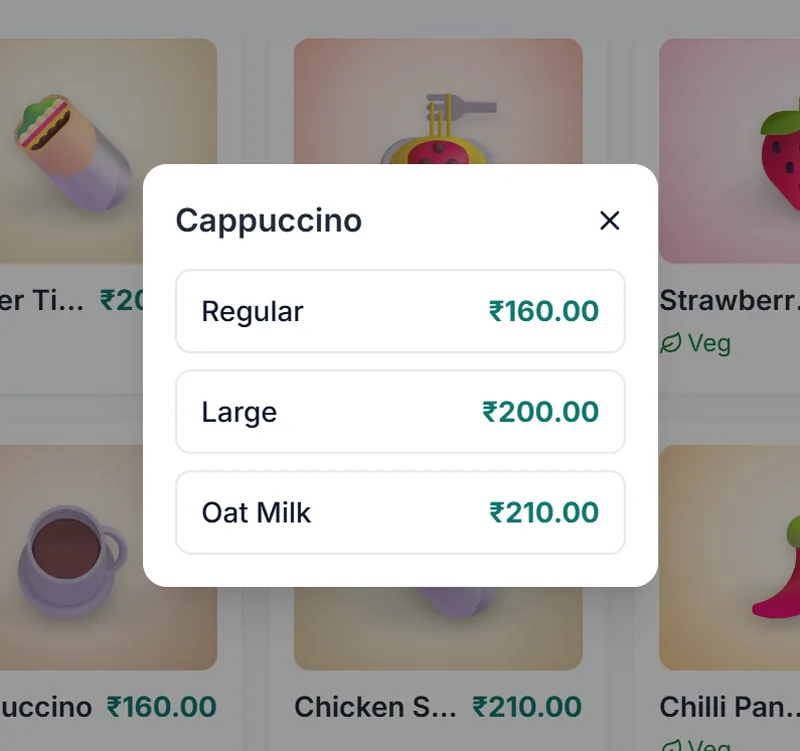
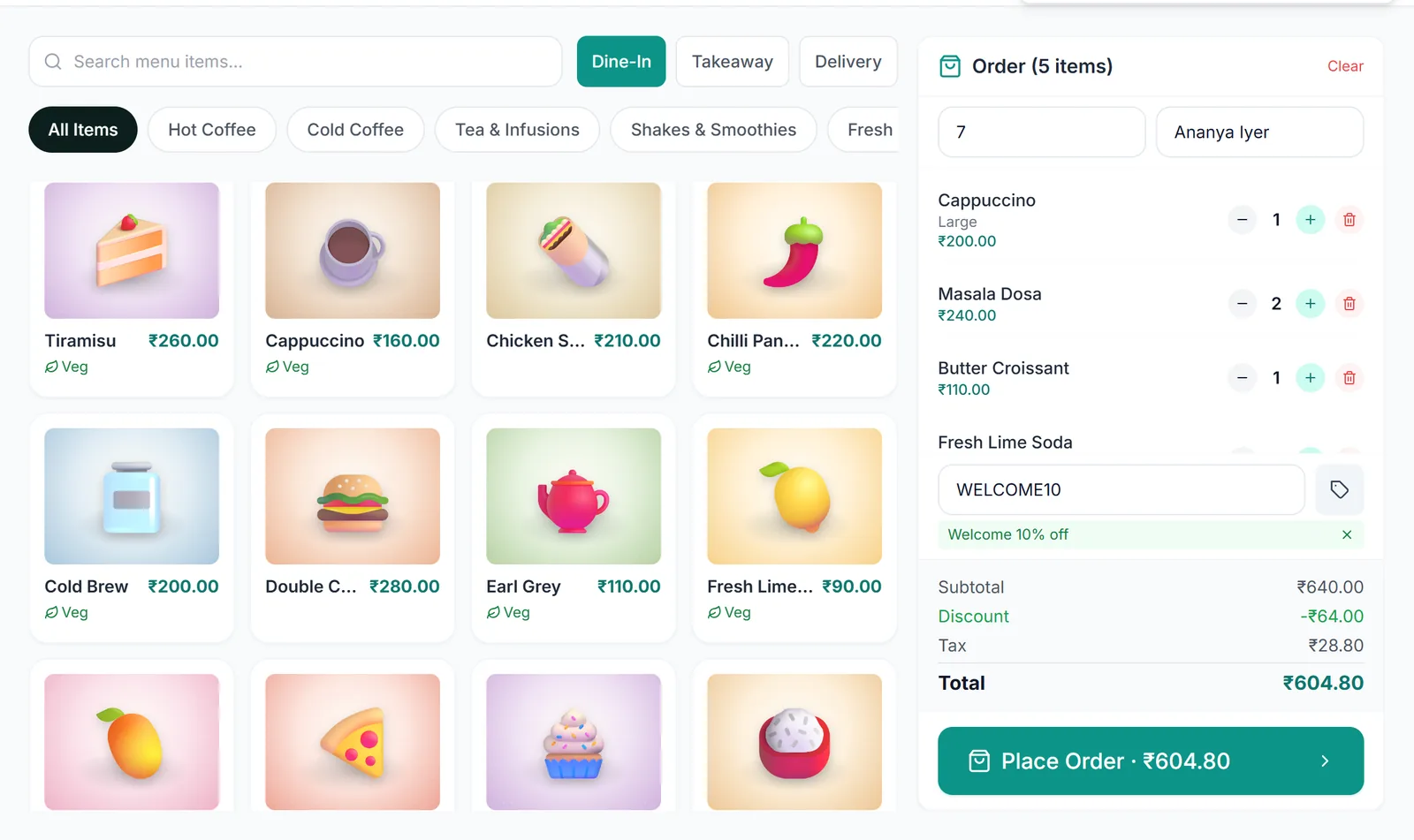
Every item has a photo, so new staff find it fast. Sizes and add-ons come up with their prices as soon as you tap.

  • Dine-in with table number, takeaway or delivery
  • Search the menu or browse by category
  • Notes for the kitchen on any order
PyCafe menu grid and cart
Choosing Regular, Large or Oat Milk for a cappuccino
Payments

Cash, card, UPI or split

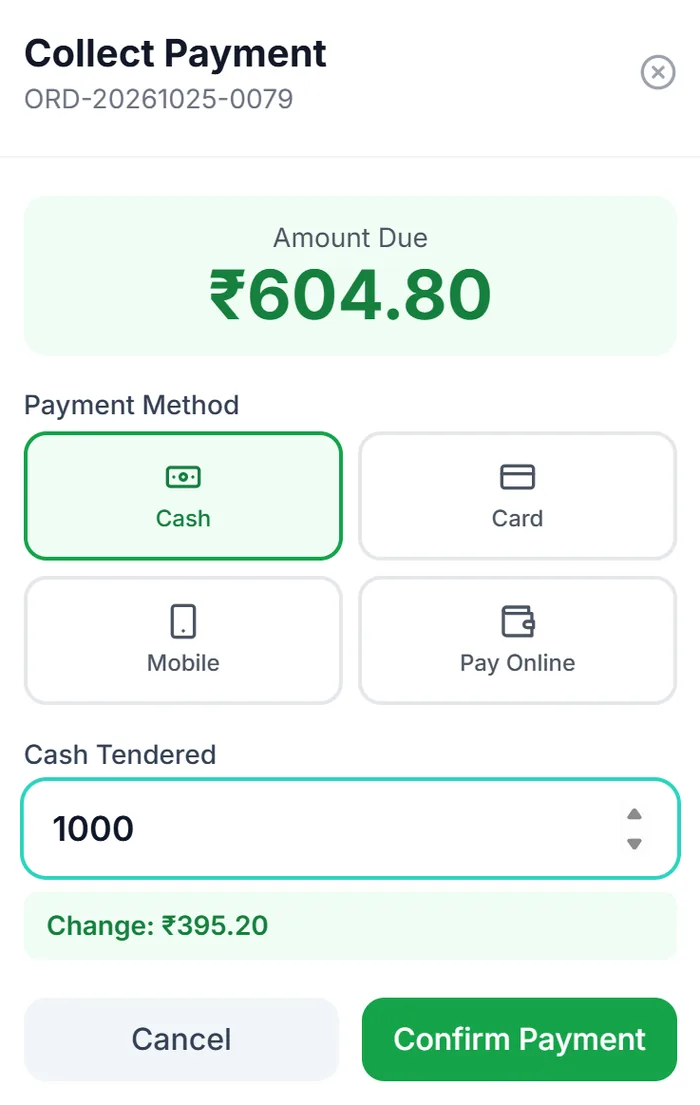
Take payment the way each customer wants. For cash, PyCafe works out the change, and every paid order gets a receipt.

  • Split one bill across cash and UPI
  • Online payments through Razorpay
  • Receipts ready to print
Collecting payment with cash tendered and change shown
Kitchen

Every order, live in the kitchen

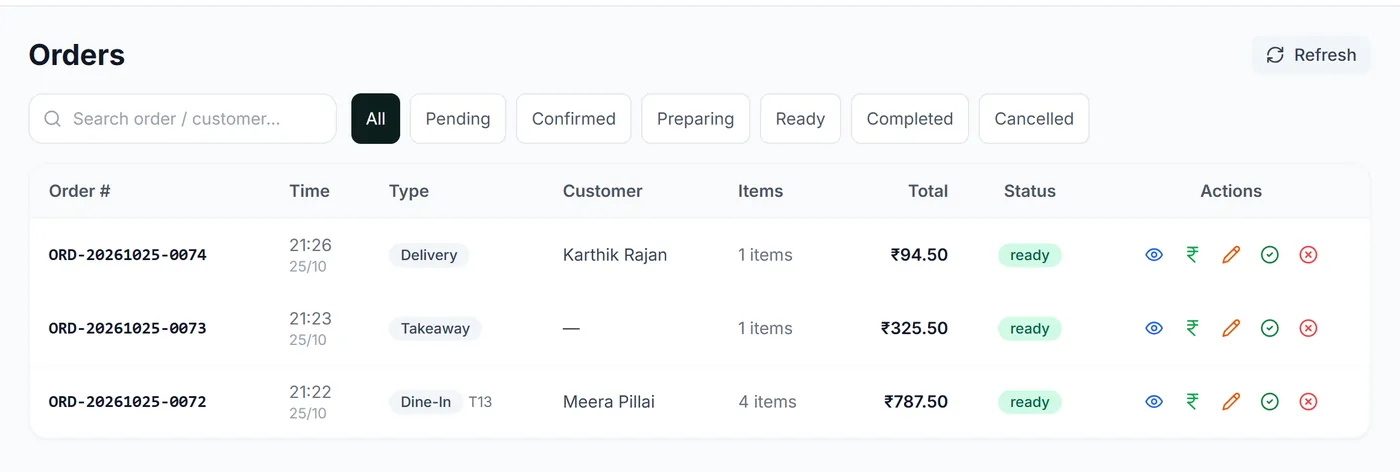
The kitchen sees orders as they're placed and moves them from pending to preparing to ready. The chef's login shows only what the kitchen needs.

Kitchen order list with ready status
Stock

Stock that updates itself

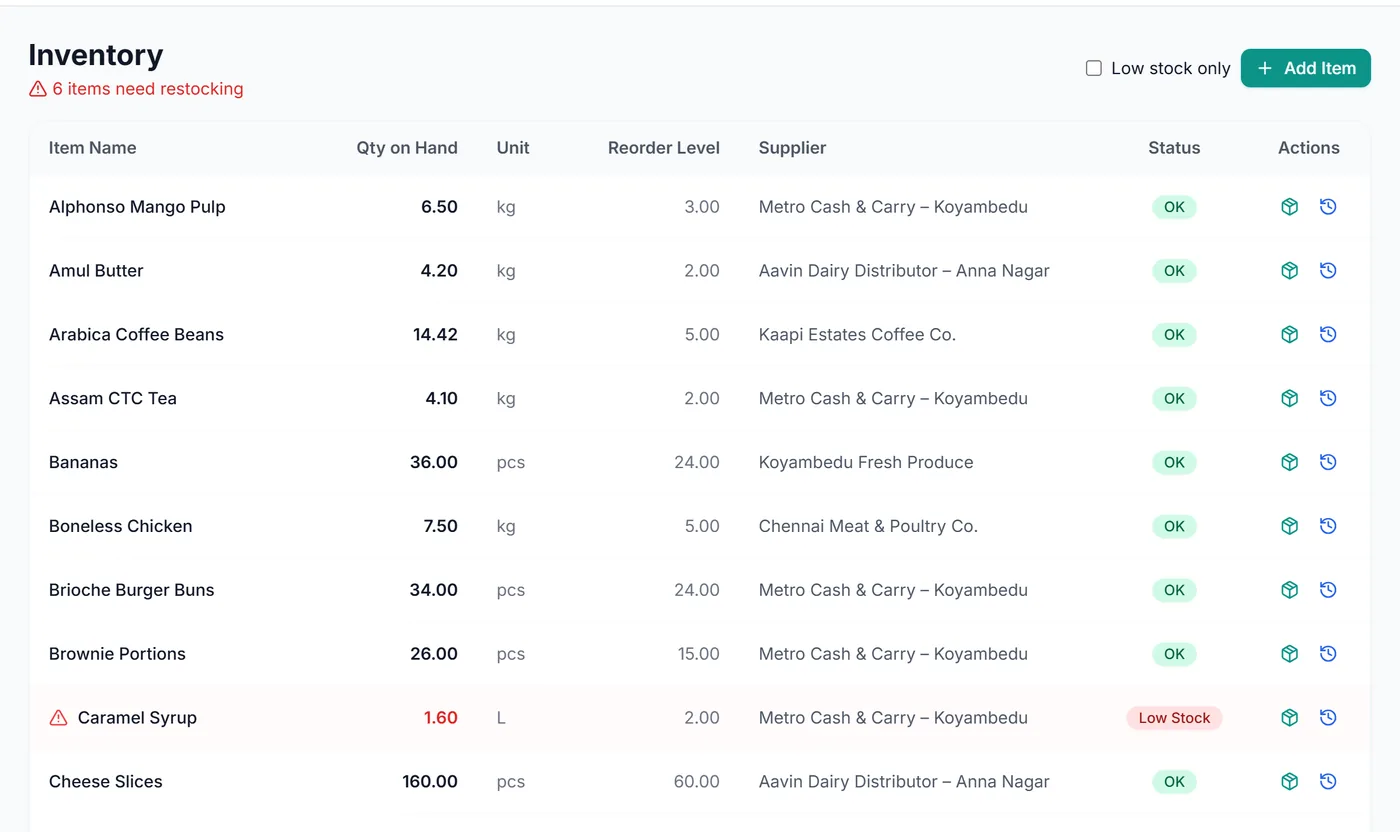
Link each menu item to its recipe. When an order is paid, PyCafe takes those ingredients off stock and flags anything at or below its reorder level.

  • Stock in, stock out and adjustments with notes
  • Supplier list for every ingredient
  • History of every stock movement
Inventory list with low-stock items flagged
Dashboard & reports

Know your numbers every day

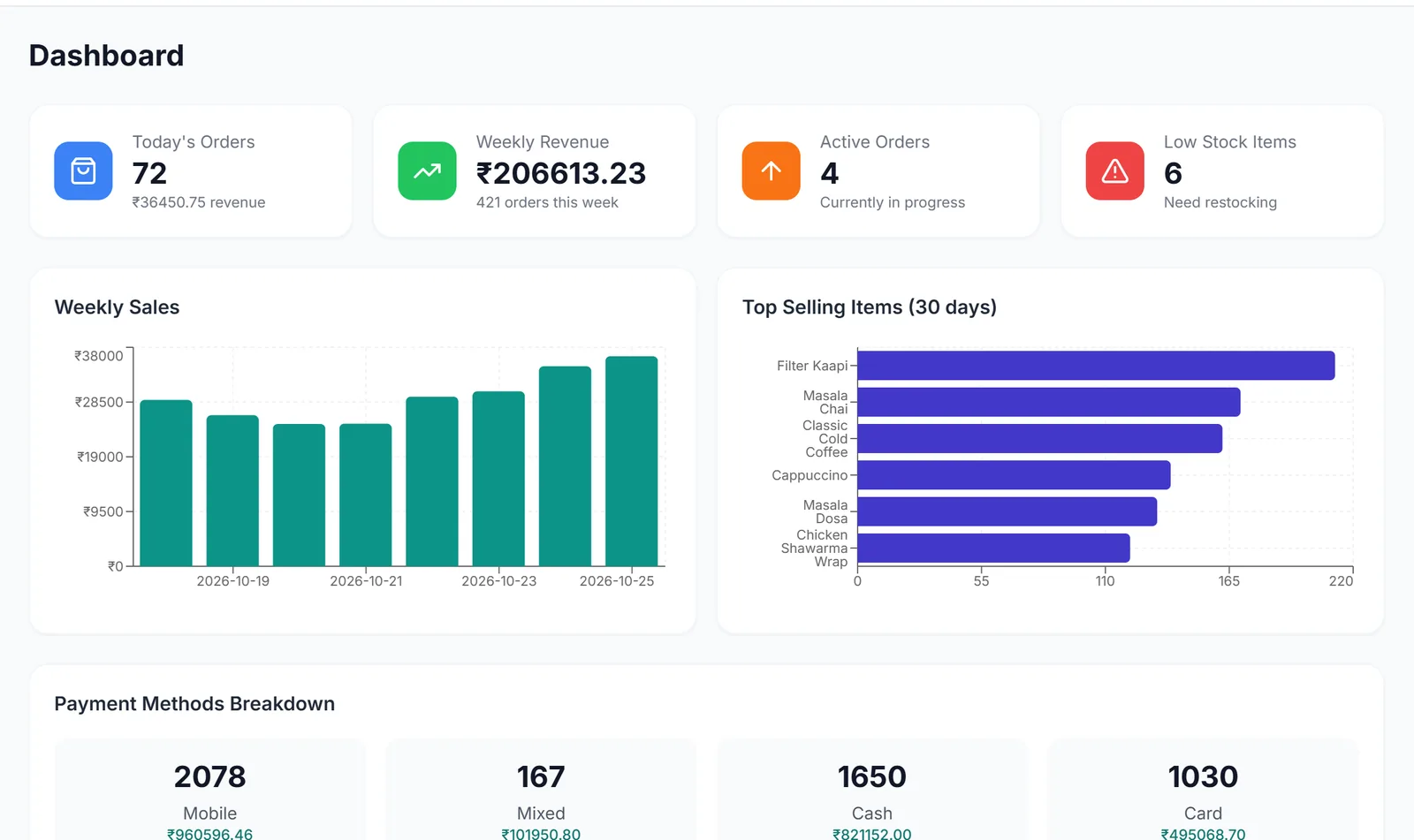
Open the dashboard to see today's orders and revenue, the week so far, best sellers and how people paid. Reports cover sales, tax and stock by day, week or month.

  • Export any report to CSV
  • Tax collected, month by month
PyCafe dashboard with weekly sales and top-selling items
Team & offers

A login for every role

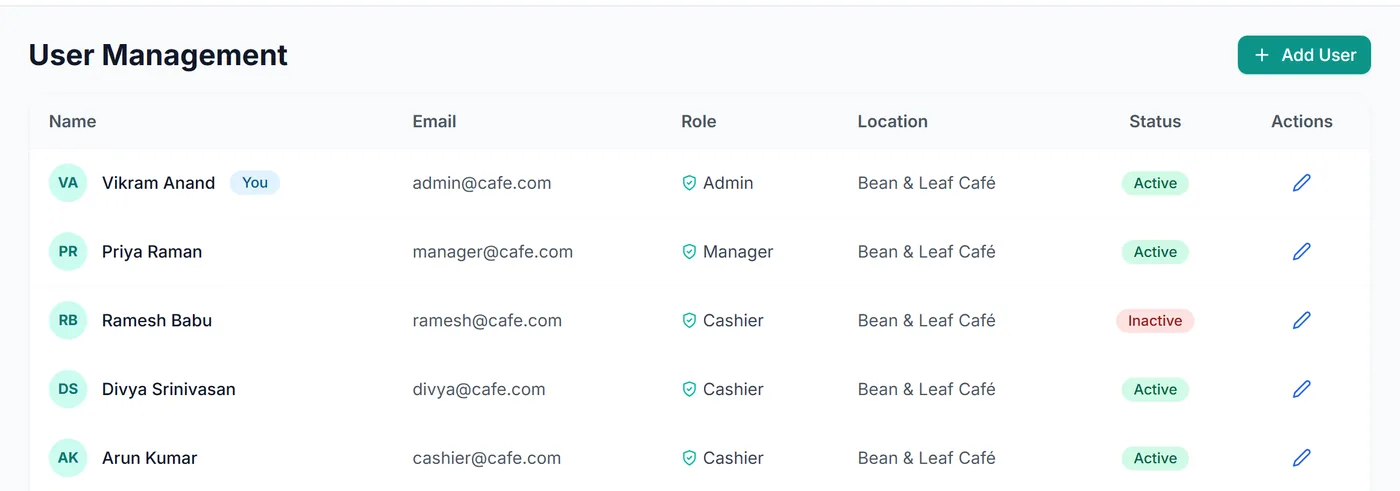
Owners, managers, cashiers, chefs and staff each sign in with their own account and see only their part of the app. Managers run promo codes with start dates, end dates and usage limits.

Staff accounts with admin, manager, cashier and chef roles
See it in action

PyCafe in 90 seconds

A walk through a café's day: taking an order, getting paid, the kitchen, stock and the end-of-day numbers.

What's included

Everything a café counter needs.

Photo menu with categories
Sizes and add-ons per item
Dine-in, takeaway and delivery
Promo codes with limits and dates
GST added automatically
Cash, card, UPI and split bills
Receipts for every paid order
Kitchen order tracking
Stock deducted by recipe
Low-stock flags and suppliers
Sales, tax and stock reports
Logins for every role
Free demo

See PyCafe for your café.

Message or call PySellers and we'll show you PyCafe and answer your questions. The demo is free, with no obligation.

QR code that opens a WhatsApp chat with PySellers Scan to WhatsApp us Opens a chat with a demo request ready to send.
WhatsApp Call